⚡ Direct Answer: How to Control Access to Sensitive Sheet Metal CAD Drawings?
Controlling access to proprietary sheet metal drawings requires implementing a 7-Step Technical & Operational Access Control Protocol: 1) Information Classification: Tagging every drawing as Public, Internal, Confidential, or Restricted; 2) Role-Based “Need-to-Know” Partitioning: Granting 3D STEP files exclusively to CAM laser programmers, while press brake operators receive only 2D flat bend angle views and welders receive only simplified assembly PDFs; 3) Dynamic Digital Watermarking: Embedding the supplier company name, authorized user ID, timestamp, and unique project tracking hash across every PDF/DXF export; 4) Feature Defeaturing & Sanitization: Stripping internal proprietary electronics, sensor mounts, and patented cooling geometries from external CAD exports; 5) Centralized Virtual Data Room (VDR) Access: Replacing email file blasts with secure VDR links that disable local file downloads and log every view; 6) Air-Gapped Shop Floor Terminals: Disabling USB mass storage ports on laser and brake machine controllers; and 7) Periodic Access Log Audits: Reviewing digital download logs every 30 days to revoke inactive accounts.
A common security failure in manufacturing is the “all-access” CAD broadcast. A procurement engineer requests quotes from five fabricators, emailing a single ZIP file containing complete 3D assemblies, BOMs, PCB schematics, and firm tolerances. Within hours, your company’s most sensitive engineering assets are scattered across dozens of unmonitored hard drives. Disciplined access control eliminates this vulnerability.

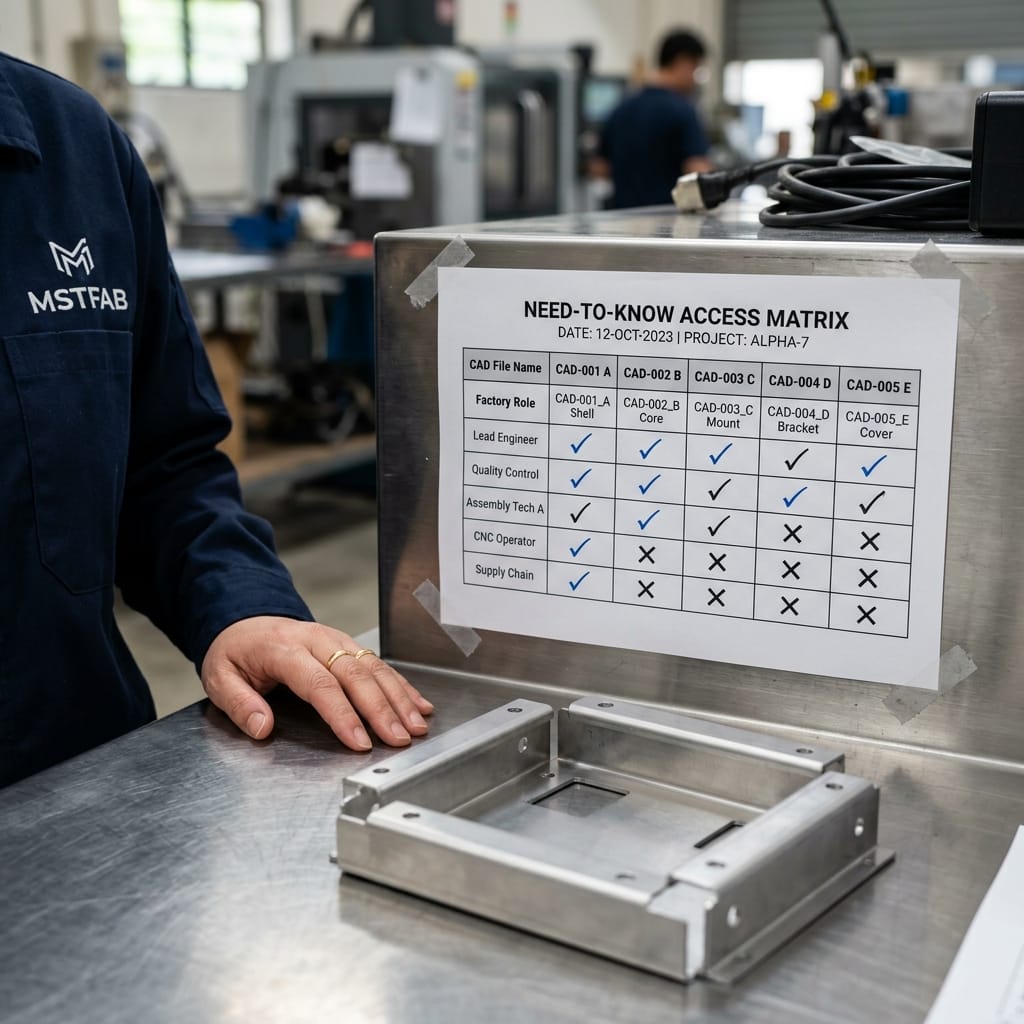
Sheet Metal CAD Access Control Matrix by Factory Role
Define exactly what level of engineering data each manufacturing role requires to perform their specific task:
| Factory Role | Data Required for Task | Prohibited Data (Need-to-Know Restriction) | Delivery Format |
|---|---|---|---|
| Cost Estimator / Sales | Envelope dimensions, material alloy, sheet gauge, total bend count | 3D STEP files, internal circuitry schematics, product application details | Watermarked 2D PDF drawing with boundary envelope dimensions only. |
| CAM Laser Programmer | 2D outer contour and cutout geometry for nesting | Top-level assembly context, proprietary mating components, client branding | Flat DXF profile (1:1 scale) stripped of title block and proprietary annotations. |
| Press Brake Operator | Flange lengths, bend angles, bend order sequence, V-die callouts | 3D solid models, hole true position tables, mating sub-assemblies | Laminated A4 bend route sheet displayed at press brake station. |
| Welder / Assembly Tech | Weld seam locations, weld size/symbol, clamping jig points | Raw laser cut DXFs, electronic payload schematics, customer pricing | Isometric 3D PDF view showing weld locations without internal features. |
| CMM Metrology Inspector | Critical-to-Quality (CTQ) dimensions, GD&T datum frames, hole tolerances | Cost data, downstream marketing materials, unassociated part numbers | Ballooned inspection drawing with numbered inspection report table. |

The 7-Step Drawing Access Control Playbook
Follow this step-by-step security workflow before releasing drawings for quotation or production:
- Step 1: Execute Bilingual Chinese NNN Agreement: Ensure the direct manufacturing entity signs a binding non-disclosure, non-use, and non-circumvention contract before sharing any data.
- Step 2: Defeature Internal CAD Geometry: Suppress internal circuit board models, motor mounts, proprietary optoelectronics, and trade secret bracket features.
- Step 3: Strip Metadata from DXF/DWG Exports: Clear author names, company network file paths, and project codenames from CAD export properties.
- Step 4: Apply Dynamic Forensic Watermarks: Embed visible and invisible watermarks containing the supplier’s legal business name and download timestamp across all PDF sheets.
- Step 5: Share Via Expiring Virtual Data Room (VDR): Use controlled file sharing platforms with screenshot blocking, download restrictions, and 14-day link expiration.
- Step 6: Segment Files by Factory Station: Distribute flat DXFs only to CAM nesting programmers and 2D inspection PDFs only to QA inspectors.
- Step 7: Conduct Monthly Access Log Reviews: Audit which user accounts accessed or viewed files, revoking permissions immediately upon project completion.



Secure & Scalable Secure CAD Engineering Collaboration Sourcing With MSTFAB
MSTFAB combines direct factory manufacturing, China-enforceable NNN IP security, transparent tooling ownership, and flexible low-MOQ rapid prototyping. Protect your designs and streamline precision production.
Frequently Asked Questions (FAQ)
Can a fabricator accurately quote sheet metal parts without 3D CAD models?
Yes. For quotation purposes, an experienced sheet metal estimator only requires a 2D PDF drawing detailing outer boundary dimensions, material type/thickness, hole quantity, total bend count, and surface finish specifications. Full 3D STEP models are only needed after PO placement during DFM programming.
How does digital watermarking prevent CAD file leakage?
Dynamic watermarks permanently superimpose the recipient company’s name and unique tracking code diagonally across all drawing views. If an employee leaks the drawing to a competitor or uploads it online, the origin of the leak is immediately identifiable, creating a massive psychological and legal deterrent.
How does MSTFAB protect incoming client engineering data?
At MSTFAB, client CAD files are stored on isolated, encrypted internal servers with role-based permission tiers. Shop-floor machine terminals access NC cutting programs via local network without USB access, and all engineers operate under strict confidentiality employment agreements backed by regular data compliance audits.
 WeChat Contact
 WhatsApp Me Directly